Slack MCP Server for Marketing Team Workflows
Slack's MCP server connects marketing tools so AI agents understand team context.
Every major SaaS platform a marketing team uses shipped its own AI assistant in the past year, and none of those assistants talk to each other. Campaign data lives in analytics, creative assets in a DAM, leads in a CRM, and approvals in a project tool, each with a private AI that knows only its own silo. Slack's MCP server changes that by turning the conversation itself into the connective layer.
What MCP actually is and what Slack's server and client do
The Model Context Protocol (MCP) is an open standard that gives AI agents a consistent way to discover and call tools in external systems. Instead of writing bespoke API code for every connection, each application exposes its capabilities through MCP once, and any compatible client can reach it. Think of it as a universal socket standard: the plug fits every outlet, and neither side needs to know the other's internal wiring.
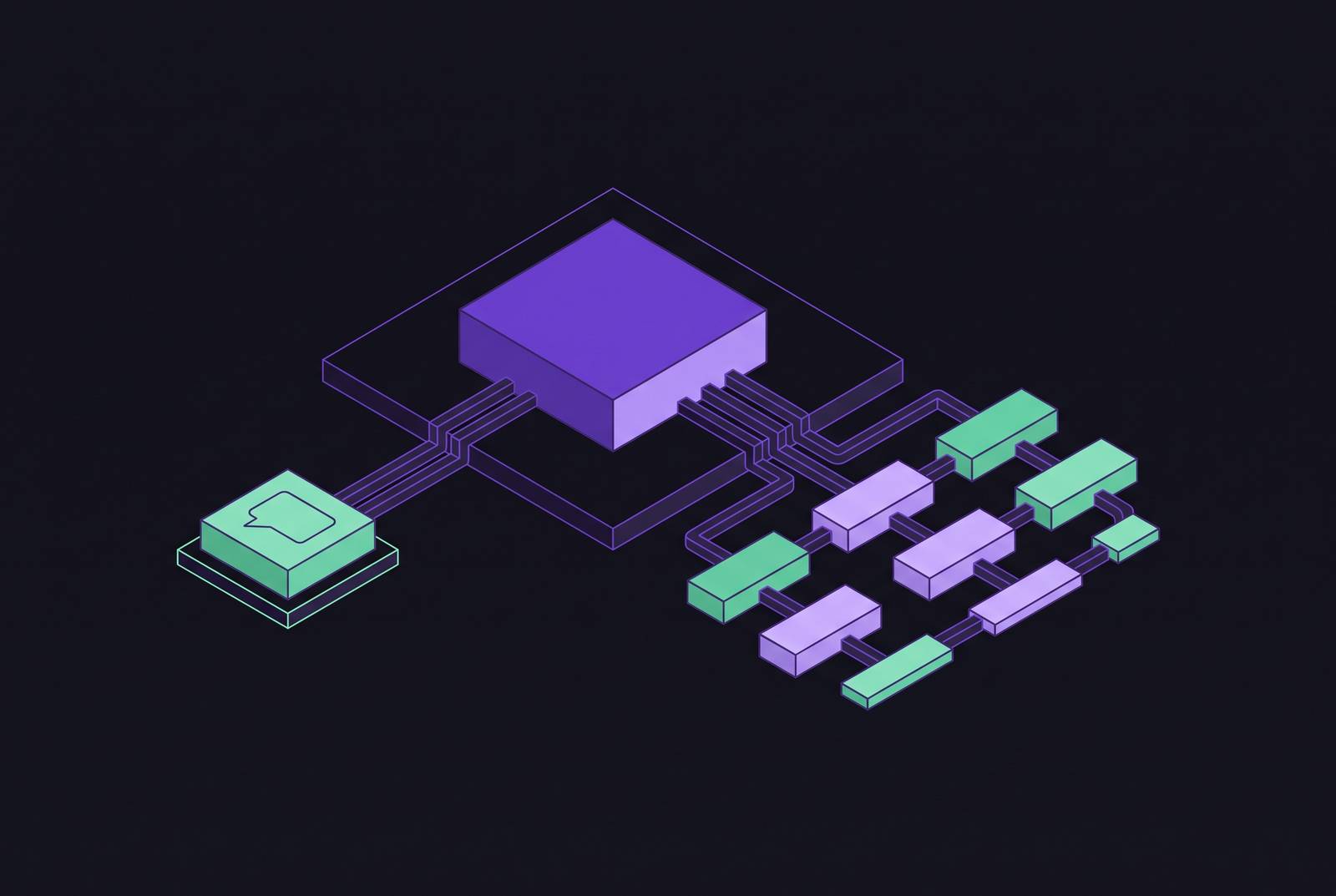
Slack operates on both sides of this standard simultaneously. The Slack MCP server, now generally available, exposes Slack's conversational data, channels, messages, decisions, project threads, so external AI agents like Claude, ChatGPT, Cursor, and Perplexity can ground their responses in real team context. The Slackbot MCP client runs the reverse direction: Slackbot reaches out to partner apps' MCP servers, including Canva, Amplitude, Notion, Atlassian, Box, Docusign, and more, on the user's behalf.
The protocol replaced the brittle, low-level API connections that engineering teams used to write and maintain by hand. Any tool can now connect to Slackbot via an MCP server in minutes rather than months of development. MCP is not proprietary to Slack or Anthropic. It was donated to the Linux Foundation with OpenAI and Block as co-founders, and Google, Microsoft, AWS, Bloomberg, and Cloudflare as platinum members, which explains why the partner ecosystem spans competing AI providers.
The Slack MCP server and the Real-Time Search (RTS) API are companion capabilities. The RTS API powers the MCP server's built-in search tools, so external agents can query Slack data without storing customer data on external servers. The permission model stays intact because the agent queries only what it needs, when it needs it.
What the Slack MCP server gives external agents: grounding in live team context
The core value of Slack's MCP server is that it turns accumulated conversation history, decisions made, campaigns debated, briefs revised, approvals given, into retrievable context that any connected AI agent can use. An agent grounded in this context can search across workspace channels, messages, and files, which makes its answers measurably better than anything a model could produce from general training data alone. Trivago tested Slack's MCP with its internal AI copilot, Trivago Copilot, and found that teams could search company knowledge more effectively while agents posted updates to Slack without switching contexts. The company's assessment was direct: AI tools feel less like a separate thing and more like an integral part of the workflow. That is the difference between an assistant that happens to be in a channel and an agent that actually understands what the channel has been discussing. The growth trajectory reflects this value. Between limited release and general availability, MCP tool calls and RTS queries each grew by a factor of 25, and more than 50 partners, including Anthropic, Google, OpenAI, and Perplexity, built agents on top of the server.
For marketing teams, the practical implication is specific. An agent can pull the campaign brief from the brief channel, the approval thread from the creative review channel, and the performance discussion from the analytics channel, without any of those conversations leaving Slack's permission boundary. The context that used to require fifteen minutes of scrolling through parallel threads is now available to an agent in a single query.
What the Slackbot MCP client enables: acting on other tools without leaving the conversation
The Slackbot MCP client turns Slackbot from a notification surface into an agent that can discover what connected tools can do at runtime and coordinate multi-step tasks across them from a single plain-language request. Unlike traditional integrations, Slackbot does not need pre-coded calls to specific endpoints. It asks the partner app's MCP server at runtime what tools are available and then acts accordingly.
The partner ecosystem at launch includes more than 20 apps available through the MCP registry in Slack Marketplace. For marketing teams, the most relevant names are Canva, Amplitude, Notion, Atlassian, Docusign, and Webflow. The canonical demonstration is a marketer asking Slackbot to pull the latest social media layouts from Canva and the campaign mood board, with Slackbot retrieving and presenting them side-by-side as interactive visual blocks for team approval, without anyone leaving Slack. Partner tools can go beyond text and render rich visual components like data tables and interactive carousels directly inside threads using Slack's Block Kit framework.
Actions are available in-thread too. Sign a document via Docusign, update a Linear ticket, review a live Amplitude dashboard. Slackbot authenticates with the third-party service on the user's behalf and surfaces interactive results in the conversation. The multiplayer shift is the structural change underneath these capabilities. When a user shares Slackbot's response into a team channel, an individual query becomes shared team data. Everyone sees the same live information, can validate sources, and can steer what happens next. The work stops happening in single-player, private tabs.
How to connect marketing tools to Slackbot via MCP: what setup actually involves
Setup splits into two paths depending on direction. Outbound setup, connecting Slackbot to a partner app, starts in the MCP registry in Slack Marketplace. Find the partner app and install it. No custom code is required for apps already in the registry. For tools not yet listed, any MCP server can be connected via the developer documentation, including internal databases and legacy systems. IT administrators manage and audit all connected apps and user access approvals from a single centralized surface in the application console.
Inbound setup, connecting an external agent to Slack's data, runs through the MCP server and RTS API. Marketing teams wiring in Salesforce, HubSpot, or Google Analytics alongside Slack context will configure those MCP servers in their AI client, whether Claude Desktop, Cursor, or something similar. Each requires an access token and scopes appropriate to what the agent should read or write.
The marketing-specific ecosystem is maturing quickly. Adobe Marketo Engage launched its MCP server in closed beta in April 2026 and reached general availability in October 2026 with over 100 operations spanning forms, programs, smart campaigns, leads, and emails. A marketing operations team can wire this into an agent that also reads Slack campaign context, creating a single query surface for what used to require four separate logins. Zapier's MCP server functions as the universal bridge, connecting to over 9,000 apps with more than 40,000 actions for tools without a native MCP server of their own.
Security controls apply at the user level automatically. If a team member lacks credentials for a restricted resource, Slackbot blocks the request without any special configuration. That baseline is useful, but it is not the whole story, as the next sections make clear.
Where brand context breaks down when AI acts across tools
Connecting Slackbot to Canva, analytics, and a CRM gives it access to tools, but not to what makes a brand's output recognizably itself: its voice rules, visual constraints, approved asset libraries, and campaign context. This is the gap that technical setup alone never closes. Off-brand AI output is not a prompting problem. It is a memory and context problem. Without the brand's visual language and voice rules in a form the agent can retrieve, the model defaults to statistical average output that any brand could have generated.
Brand guidelines in PDF form or pasted into a prompt do not constitute machine-readable brand context. Machine-readable rules specify contractions versus formal language, sentence length limits, exact hex values, logo clear-space rules, and asset usage constraints. They do not say "sound professional" or "stay on-brand." Those phrases are meaningless to a model because they carry no decision procedure.
The structural issue compounds in multi-agent workflows. When Slackbot coordinates Canva, a copywriting agent, and an email tool, each agent needs the same brand context or the outputs diverge at every step. Most teams have brand guidelines that live in documents humans read, not structured data agents can query. Every new agent session starts from zero brand knowledge, and consistency depends entirely on the quality of whoever's prompt that day. That is not a workflow. It is a lottery.
Making brand context agent-readable so Slack workflows stay on-brand at scale
The solution to brand drift is not better prompts written per session. It is brand context structured as a persistent, retrievable resource that any connected agent can pull from without human intervention each time. An AI-ready brand system organizes brand strategy, voice rules, and visual constraints into structured formats, APIs, metadata, design tokens, rule-based logic, so agents can identify campaign type, audience, channel, approved terminology, and compliance constraints without ambiguity.
This is the role a Brand Skill fills: a versioned, retrievable representation of a brand's aesthetics, voice, references, and approved assets that any connected agent or product can query via API or MCP. Slackbot, a Canva agent, and an email tool all pull from the same canonical source rather than isolated copies. Rainbrand structures brand knowledge into exactly this form, ingesting existing guidelines, files, websites, and social media accounts and exposing them as a Brand Skill accessible through Claude, Cursor, ChatGPT, and any MCP-compatible environment. A marketing team's Slack-connected agents can then stay on-brand without a human pasting guidelines into every new session.
Version control matters here for the same reason it matters in code. When brand guidelines update, every downstream agent should inherit the latest version automatically. A static PDF guideline cannot do this. A versioned brand context layer can. For agencies and multi-brand teams, the stakes are higher: client data boundaries must hold, and each brand must have its own context. A single workspace managing multiple Brand Skills prevents the cross-contamination of voice and visual rules that happens when brand guidelines are maintained ad hoc across shared prompts.
Adobe's GenStudio for Performance Marketing MCP server shows where the industry is heading. Generally available, it connects insight, creative production, approval, and activation in one workflow. An assistant can flag an underperforming ad, generate on-brand variations, and activate the winner once approved. That is the category maturing in real time, and Rainbrand is the answer for teams that need this capability without Adobe's full stack.
Security and tool-count limits that marketing teams should set before going further
The security risk in MCP is structural, not just a hygiene issue. When Slackbot trusts instructions arriving from a connected MCP server, it inherits whatever that server's access enables. A compromised server can redirect agent actions in ways that no single agent behaves anomalously enough to flag. The MCP specification released on July 28, 2026 hardened authorization, adding issuer validation to close a known mix-up attack and binding client credentials to the server that issued them. Teams evaluating MCP deployments should confirm that their server and client implementations reflect this version.
The practical starting point for marketing MCP deployments is read-only operations: reporting queries, knowledge search, draft generation. Add write actions only after those patterns are stable, and require human approval before any campaign launch, budget change, list export, CRM field update, or customer-facing send. Slack's governance layer applies its native permission controls automatically, and Slackbot blocks requests from users who lack credentials for a restricted resource. But enterprise teams holding regulated data should evaluate a dedicated DLP layer that inspects MCP tool responses before they reach the model.
The recommended minimal architecture for a marketing team starting out is three servers: a Slack MCP server for team context, one CRM or analytics server for campaign data, and one action server for email or social. Slackbot is the conversational interface coordinating all three. Start there, prove the workflow, and expand deliberately.
What marketing teams can realistically automate today and where gaps remain
Several marketing use cases are well-served by Slack MCP workflows today. Pull campaign performance data into a shared channel. Coordinate asset review with live Canva previews. Search Slack history for past campaign decisions. Generate email drafts via a connected email production server. Route approvals through interactive Block Kit forms. These are not hypotheticals. They work now.
Knak's MCP server, shipped in April 2026, is a concrete example of production-ready marketing infrastructure. It connects AI assistants to brands, campaigns, and themes for generating production-ready email assets through the same rendering pipeline as the visual editor, handling Outlook compatibility, dark mode, and responsive behavior without extra steps. The platform handles what the AI cannot, which is the right division of labor.
Gaps remain. Several categories, including some ad platforms and email marketing platforms, still have no production MCP server. Teams in those categories are bridging the gap with Zapier's MCP server or waiting for native servers to ship. And human judgment remains essential for the final layer. AI can produce on-brand first drafts at scale, but a person who owns the brand still has to review whether something truly sounds like the brand, lands with the intended audience, and doesn't quietly contradict positioning before anything ships.
The workflow that fits 2026 is this: AI drafts and coordinates, humans direct and approve. The Slack channel is where that handoff happens, and the MCP layer is what makes the AI's work visible and actionable for the whole team rather than buried in a private chat. But the connective layer that makes this durable is not the Slack integrations themselves. It is the brand context those integrations draw from. Teams that invest in structuring their brand knowledge for machine consumption will get compounding returns as the agent ecosystem grows. Teams that don't will repeat the same prompt-pasting work every time they add a new tool.