Connecting Multiple MCP Servers in One Agent Workspace
Coordinate multiple servers with unified routing, tool namespacing, and shared brand context.
Connecting multiple MCP servers in one agent workspace requires more than valid connection settings. It requires reliable routing, isolated capabilities, and shared context that stays coherent as work crosses server boundaries. Brand and business context belong in that shared infrastructure because separate prompt copies drift whenever tools, agents, or guidelines change.
Why connecting multiple MCP servers in one workspace is an orchestration problem, not a configuration one
“Just add another server” sounds straightforward until files, a database, a Git repo, a CRM, web search, and a calendar are running concurrently. Each connection can work even when the workflow as a whole fails. Inside the application, choosing a tool, routing its call, and putting the results together must all work in step. More available tools do not, by themselves, produce a coherent workspace.
Before it, N models connecting to M tools required N×M custom integrations, whereas a reusable server and compatible clients reduce that surface to one integration per model and per tool. The team owns the integration and can reuse it instead of rebuilding a connector for every application. Anthropic introduced MCP in November 2024 and donated it to the Agentic AI Foundation under the Linux Foundation in December 2025. That vendor-neutral foundation supports reuse, but coordination remains the workspace’s responsibility.
How the three-role architecture — host, client, server — makes multi-server composition possible
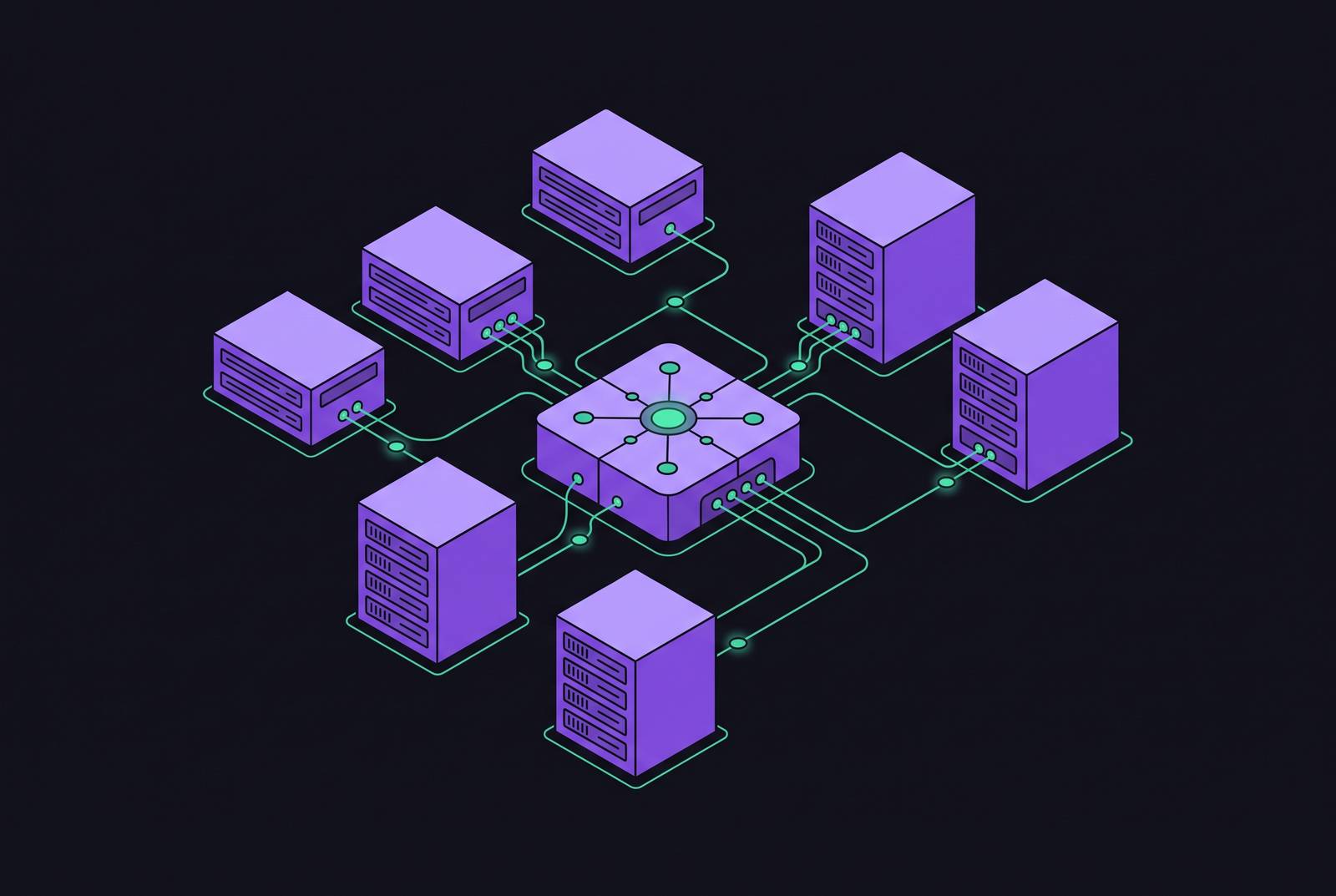
The distinction between host and client resolves an important ambiguity. A workspace may appear to be one client, but the host runs multiple protocol clients, each maintaining a one-to-one relationship with a server. Connections are separate, while coordination happens across them. With this setup, the application can bring capabilities together without the model having to manage server connections itself.
Servers expose three primitives, namely tools, resources, and prompts. Tools are actions the model can invoke, resources are data it can read, and prompts are reusable templates that standardize behavior within a domain. The model selects a tool, the appropriate client routes the request, and the server executes it. The model uses the returned result in its response or as the basis for another call. Existing APIs still do the underlying work.
A request to summarize a Slack discussion about the Q3 roadmap and create a Linear ticket for its top action item therefore spans both servers. The host composes their contributions into one workflow. The 2026-07-28 specification describes a stateless core in which requests are self-describing and independent of a protocol-level session.
The three transport types and what each one means for a production workspace
Transport determines where a server runs and how requests reach it. The stdio approach runs a server as a local subprocess and communicates through standard input and output. It suits desktop applications and development tools. Community servers such as server-filesystem and server-postgres usually use this approach, so their connections stay local to the host.
Streamable HTTP supports remote deployments and works with existing load balancers, proxies, and CDNs. It is the direction for SaaS and enterprise integrations, replacing the deprecated HTTP+SSE transport while retaining optional Server-Sent Events. In-process SDK integration takes a different approach. Tools live in the same binary as the client, avoiding inter-process communication overhead when they are tightly coupled to the product.
The OpenAI Agents SDK documentation distinguishes execution location through its integration classes. HostedMCPTool lets the Responses API call a publicly reachable server, while MCPServerStreamableHttp, MCPServerSse, and MCPServerStdio cover their respective connection types. Remote access also requires provider-supplied credentials and an endpoint. For long-running operations, tasks add a “call-now, fetch-later” pattern in which a request returns a handle while work continues. Clients can poll or subscribe for progress, so large file conversions or multi-step provisioning need not hold a synchronous request open throughout.
How tool namespacing and routing prevent collisions when servers share tool names
Two servers can expose the same tool name without exposing the same capability. The orchestrator distinguishes them by discovering tools, applying policy, presenting prefixed names, and translating model selections into JSON-RPC calls over the correct transport. The model selects a namespaced tool. The Claude Agent SDK uses mcp__<server-name>__<tool-name>, so mcp__db__query resolves to the query tool on the db server.
The OpenAI SDK exposes server prefixes through include_server_in_tool_names in Agent.mcp_config, disabled by default. When enabled, generated names are deterministic, limited to a basic character set, and bounded by FunctionTool name-length limits, without colliding with configured local tools or enabled handoffs. Without namespacing, duplicate names can route to whichever server the orchestrator resolves first. The model cannot detect that routing ambiguity. Other configuration choices include convert_schemas_to_strict, which falls back to the original schema if conversion fails, and failure_error_function, which controls how failures reach the model.
IBM’s Training Management System uses domain isolation to keep five servers running at the same time. A TMS Server handles MongoDB tools, an Embedder Server processes documents, an Analysis Server generates course outlines, a Course Creation Server creates content, and an Assessment Server generates questions. Each domain remains separate when another fails. In this production architecture, the orchestration layer is a natural place for shared context because it already coordinates work across capabilities that otherwise run on their own.
Why pasting brand guidelines into each server's system prompt doesn't scale across a multi-server workspace
Even when routing works, the outputs can fail to fit together. Fourteen prompt copies can preserve the same colors while producing work that no longer feels like one brand. That is consistency without coherence. Each tool optimizes against its local instructions, while no shared layer supplies the full brand context for the composed result.
For agencies, this appears as “style creep” across contributors, prompts, and shifting model weights. A fifty-asset campaign tests that drift because its outputs must pass their own checks and work together. For in-house teams, a customer support copilot that cannot share brand context with sales or marketing can behave in ways that clash across touchpoints, even when each copilot does its own job well.
Each new agent also adds another copy that can go stale. A logo revision, voice shift, or new product name requires finding and updating each prompt, with no guarantee that all copies change in the same cycle. The maintenance burden grows with the workspace. Technical composition succeeds while brand coherence fragments, because the servers share a connection protocol but not an authoritative account of the brand.
How brand context served as an MCP resource changes what every connected agent can do
A shared brand resource replaces duplicated instructions with queryable context. An authorized agent can retrieve current voice rules, product names, or a color palette during a task, just as it retrieves current product specifications from a database. The source is shared across connected agents. A brand update is available through that source without someone having to find every embedded prompt copy.
Pulumi runs a public brand MCP server at brand.pulumi.com for in-house teams, agencies, and partners working in its name. As of mid-September 2026, it held 14 readable sources covering brand voice, writing rules, and binding product names, plus 11 callable tools. Those tools could calculate a contrast-ratio to check for accessibility compliance. The distinction between resources and tools is practical here, because reading a rule and calculating whether an asset meets it are different capabilities.
By summer 2026, 20 of 21 open-source design systems, including those of IBM, Shopify, and GitHub, had shipped an MCP server. Shared context is becoming an expected interface. In a multi-server workspace, this gives each authorized agent the same current reference, so the team can switch tools without entering it again.
What breaks in a multi-server workspace when brand context isn't treated as shared infrastructure
A CRM server may hold guidelines from six months ago while a content server uses last week’s version, leaving the model without a way to detect the discrepancy. Routing cannot reconcile those conflicting brand states. When a request crosses from copy generation to image generation, the orchestrator can compose the outputs without composing their underlying brand assumptions.
Public AI-assisted campaigns from J.Crew, Shein, and Skechers drew backlash, illustrating the consequences of inadequate quality control. Along with limits on what the model can do, missing brand context when work is generated and reviewed helps explain these failures. Multi-brand work compounds that exposure. An agency managing five client brands across several servers must maintain five distinct brand states, each multiplied across prompt copies without a single update mechanism.
The consequences extend beyond internal asset production. As AI shifts from answering questions to executing tasks, machine-readable context influences how brands can be discovered, cited, and recommended. Unstructured context is harder for agents to establish as authoritative. The MCP Brand Authority pattern addresses this through signals across MCP endpoints, llms.txt, Agent Cards, and brand.json, making brand information legible to AI surfaces before a user clicks through.
The security risks specific to multi-server MCP workspaces and how to mitigate them
Shared infrastructure also concentrates trust and its associated risks. Prompt injection, tool poisoning, credential misuse, unauthorized actions, and data exfiltration all apply to multi-server deployments. Cross-server tool shadowing is an especially serious threat. A malicious or compromised server can influence how an agent uses adjacent trusted servers, while a poisoned brand source can corrupt the downstream agents that read it.
Tool poisoning can hide instructions in descriptions or parameter schemas that the model reads but the user usually does not. Data that comes back can also bring untrusted instructions into context. A shared source is not inherently trustworthy. Because the same way of sharing correct guidance can spread malicious instructions, a source with this reach needs stronger authorization and privilege boundaries.
The OpenAI SDK documentation says to connect only to trusted servers, use least-privilege credentials, and require approval for sensitive operations. Credentials belong in server-side configuration or authorization fields and headers, never in prompts or URLs. Remote MCP authentication uses OAuth 2.1 with PKCE, with servers acting as OAuth Resource Servers and advertising authorization servers through .well-known endpoints. Clients must use RFC 8707 Resource Indicators to keep tokens from being misused.
Connection management provides a separate resilience boundary. MCPServerManager connects servers up front and exposes only the successfully connected subset, excluding unavailable servers from the agent’s tool set. That mechanism does not replace trust controls. For brand context, resources-only servers reduce the attack surface compared with write-capable tools, so the recommended architecture keeps brand resources read-only where possible and scopes any additional capabilities separately.
What a well-composed multi-server workspace looks like when brand context is infrastructure
A well-composed workspace gives brand context a named, versioned domain next to CRM, content, and analytics capabilities. Its brand server exposes voice, color, typography, logo rules, and product names as readable resources. Tools do work such as contrast checking and brand review. Where those operations are exposed, names such as mcp__brand__check_contrast and mcp__brand__get_voice_rules distinguish them from adjacent servers’ tools and make them available during a task.
Versioning gives the shared source its operational value. When the brand changes, the server is updated once, and connected agents obtain the new version on their next call. Review then becomes part of the workflow. Finished images, copy, and decks pass through a brand-review tool before shipping, with evidence for each check.
For multi-brand operators, the corresponding pattern is one brand context server per brand, with separate credentials and policies. The agent’s tool set includes tools from servers that connect, namespaced calls go to the intended server, and sensitive operations still need approval. This applies the TMS architecture’s domain isolation to brand context without distributing brand state across every capability. The resulting integrations are portable assets owned by the team, so a change of model provider does not require rebuilding the brand server.